Mimi is great, but running it on smart models is EXPENSIVE. If you already pay for Claude or ChatGPT, leverage them to help edit your story.
You describe what you want (“add a gold tracking system”, “write lore for the city”, “count my deliveries”), and the AI writes the story setup and Mana Game Engine triggers, uploads them automatically, and you check and save them in Mana.
Which AI subscription do you have?
Pick the one you pay for. Both guides cover installing the app, so it’s fine if you’ve never used it.
How It Works
Four steps, the same in both apps.
What the AI Can Change
One story, and only what you ask for.
- Story setup: title, description, starting prompt, AI instructions, player character, characters, backgrounds, lorebook and recommended settings.
- Mana Game Engine: triggers, variables, commands, menus, story progression, in-game image and video questions and tool calls. See Triggers for what they can do.
- Media: it can upload the images and videos your triggers show (up to 50 MB per story).
Which stories can I edit this way?
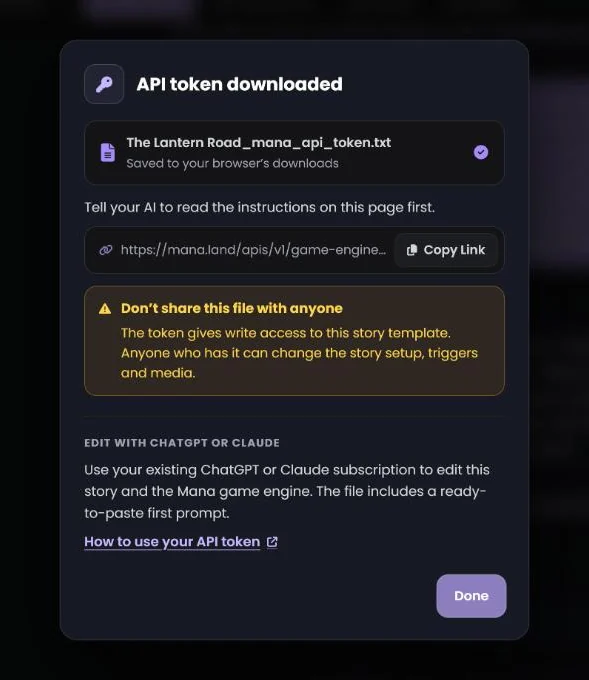
Story templates you own. The API Token button shows in the Story Assistant for your own templates and for a new story you’re creating, but not for a story you’re playing. A new story is saved as a private template the first time you click it.
Do I need to know how to code?
No. You describe what you want in plain words. The AI reads Mana’s guides, writes the changes and uploads them. You review and save them in Mana like any other edit.
My changes don’t show up in Mana. What now?
Open the story in the Story Assistant and keep that browser tab visible: the page only picks up changes while you can see it, and it catches up within a few seconds when you switch back to it. A trigger editor you opened with Edit Triggers on a story you’re still creating doesn’t update by itself: close it and click Edit Triggers again. The older story edit form doesn’t show AI changes.
Can the AI break my story?
Nothing reaches players until you press Save in Mana, so you can always look first. If a change is wrong, change it back by hand or ask the AI to undo it before you save: the page keeps the AI’s version even if you don’t save, so your next Save would include it. Let the AI finish before you edit by hand, because an upload replaces the story setup on the page.
I clicked API Token again. Do I need to do anything?
Only if you confirmed Generate new token. That makes a new token, and the old one stops working: put the new file in your story folder (you can delete the old one) and tell the AI to use the new token file. If you pressed Cancel, nothing changed.
Does this cost Mana coins?
No. The AI runs on your own Claude or ChatGPT plan, so its work counts toward that plan’s usage limits. Mana doesn’t charge coins for reading or uploading with your token. Big requests use more of your plan’s limits than small ones.